Important information for people who may have experienced difficulties printing the 2567 Survey Reports.
During the development of this system we found that some users of Internet Explorer experienced difficulties displaying these reports when Adobe Acrobat Reader was set up to display the reports within the Internet Explorer Browser window. These users experienced a closing of all browser windows when the 2567 window was closed, effectively ending the browser session.
Adobe is aware of this behavior and offers several solutions through the support section of their web site. The simplest solution is to disable Web Browser Integration so that PDF files open directly in Acrobat or Acrobat Reader instead of within the web browser.
Important: Each survey will potentially consist of 3 separate printed reports that together make up the whole 2567 report. The 2567A and its counterpart 2567A(Part-2) contain all deficiencies with a Scope and Severity level of 'A' . The 2567L contains all other deficiencies and the submitted Plan of Correction. When the 2567 reports displayed in Adobe Acrobat Reader, they are all displayed in one window rather than three separate windows.
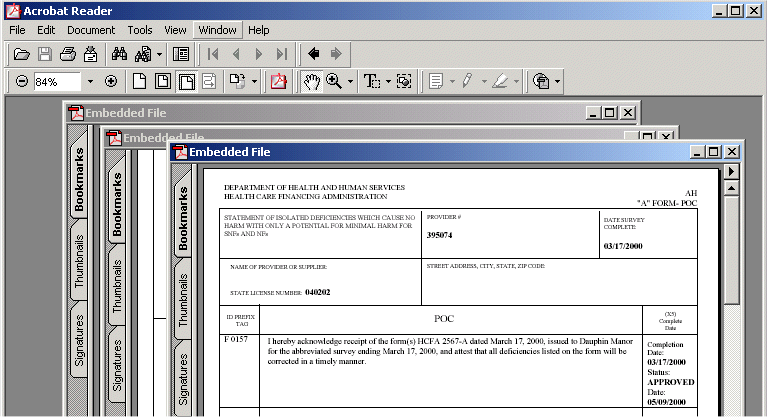
These are the instructions from Adobe for disabling browser integration.
To disable Web Browser Integration in Acrobat
5.1 or Acrobat Reader 5.1:
1. Open Acrobat or Acrobat Reader.
2.
Choose Edit > Preferences .
3. Click Options in the list in the Preferences dialog box.
4. Deselect Display PDF in Browser.
5. Click OK.
To disable Web Browser Integration in Acrobat 5.0 or Acrobat Reader 5.0:
1. Open Acrobat or Acrobat Reader.
2. Choose
Edit > Preferences > General.
3. Click Options in the list in the Preferences dialog box.
4. Deselect Display PDF in Browser.
5. Click OK.
To disable Web Browser Integration in Acrobat 4.x or Acrobat Reader 4.x:
1. Open Acrobat or Acrobat Reader.
2. Choose
File > Preferences > General.
3. Deselect Web Browser Integration in the General Preferences dialog box.
4. Click OK.
Additional information about this and other problems you may experience can be found at the Adobe Support Site:
